In the ever-evolving landscape of digital currencies, Bitcoin stands out as a pioneering force, revolutionizing the way we perceive and handle money. At the heart of this cryptocurrency ecosystem lies the Bitcoin wallet, a crucial tool that allows you to store, send, and receive Bitcoin securely. Understanding what a Bitcoin wallet is and how it functions is essential for anyone looking to engage with this digital currency.
Unlike traditional wallets that hold physical cash, a Bitcoin wallet is a software application or hardware device that stores your private and public keys, enabling you to interact with the Bitcoin network. When you think about a Bitcoin wallet, envision it as a digital vault. It doesn’t actually hold your Bitcoin in the conventional sense; instead, it keeps the keys that give you access to your Bitcoin on the blockchain.
This decentralized ledger records all transactions and ensures that your assets are secure. As you delve deeper into the world of Bitcoin, you’ll discover that there are various types of wallets available, each designed to cater to different needs and preferences. Whether you are a casual user or a serious investor, understanding the nuances of these wallets will empower you to make informed decisions about your cryptocurrency journey.
Key Takeaways
- Bitcoin wallets are digital tools that allow users to store, send, and receive Bitcoin.
- When choosing a Bitcoin wallet, consider factors such as security, convenience, and the type of device you will be using.
- Setting up a Bitcoin wallet on your mobile device involves downloading a reputable wallet app and following the setup instructions.
- To set up a Bitcoin wallet on your computer, you can choose from desktop, web, or hardware wallets, each with its own setup process.
- Securing your Bitcoin wallet is crucial and can be done through measures such as using strong passwords, enabling two-factor authentication, and keeping your wallet software up to date.
Choosing the Right Bitcoin Wallet for You
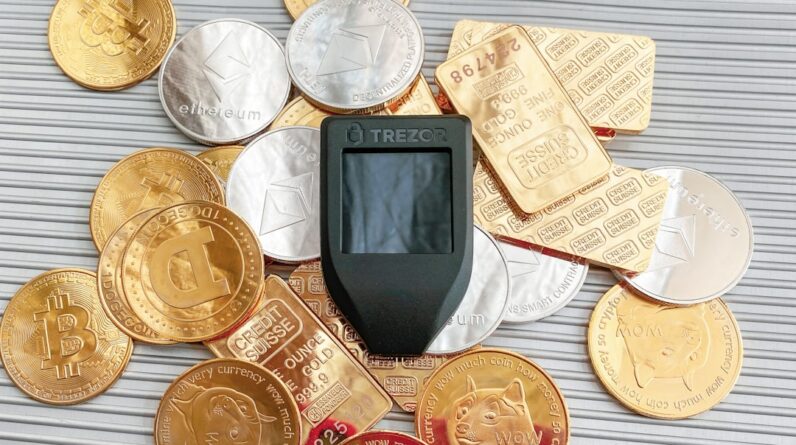
Selecting the right Bitcoin wallet is a pivotal step in your cryptocurrency experience. With numerous options available, it’s essential to consider your specific needs and how you plan to use Bitcoin. There are primarily three types of wallets: hot wallets, cold wallets, and hardware wallets.
Hot wallets are connected to the internet and are ideal for everyday transactions due to their convenience. However, they may expose you to potential security risks. On the other hand, cold wallets are offline storage solutions that provide enhanced security for long-term holding but may be less convenient for frequent transactions.
When choosing a wallet, think about factors such as security features, ease of use, and compatibility with your devices. If you’re new to Bitcoin, a user-friendly hot wallet might be the best starting point. However, if you plan to invest significant amounts or hold Bitcoin for an extended period, consider a cold wallet or hardware wallet for added protection.
Additionally, research the reputation of wallet providers and read user reviews to ensure you select a reliable option that aligns with your requirements.
Setting Up a Bitcoin Wallet on Your Mobile Device

Setting up a Bitcoin wallet on your mobile device is a straightforward process that can be completed in just a few steps. First, you’ll need to choose a reputable wallet app from your device’s app store. Popular options include Coinbase Wallet, Trust Wallet, and Mycelium.
Once you’ve selected an app, download and install it on your smartphone. After installation, open the app and follow the prompts to create a new wallet. This typically involves generating a secure password and backing up your recovery phrase—a crucial step that ensures you can regain access to your wallet if you lose your device.
After setting up your wallet, familiarize yourself with its features and interface. Most mobile wallets allow you to send and receive Bitcoin easily, view your transaction history, and manage multiple cryptocurrencies. Take some time to explore the app’s settings and security options, such as enabling two-factor authentication or biometric login for added protection.
By understanding how to navigate your mobile wallet effectively, you’ll be better equipped to manage your Bitcoin transactions on the go.
Setting Up a Bitcoin Wallet on Your Computer
If you prefer managing your Bitcoin from a computer, setting up a desktop wallet is an excellent choice. Desktop wallets offer more robust features and security compared to mobile wallets. To get started, choose a reputable desktop wallet software such as Electrum or Exodus.
Download the software from the official website to ensure you’re getting a legitimate version. Once installed, launch the application and follow the setup instructions to create your wallet. During the setup process, you’ll be prompted to create a strong password and back up your recovery phrase.
It’s crucial to store this information securely, as losing it could result in permanent loss of access to your funds. After setting up your wallet, take some time to explore its functionalities. Desktop wallets often provide advanced features like transaction fee customization and integration with hardware wallets for enhanced security.
By familiarizing yourself with these tools, you can optimize your experience and manage your Bitcoin more effectively.
Securing Your Bitcoin Wallet
Security should be at the forefront of your mind when managing a Bitcoin wallet. Given the digital nature of cryptocurrencies, they can be vulnerable to hacking attempts and other cyber threats. To safeguard your assets, start by implementing strong passwords that combine letters, numbers, and special characters.
Avoid using easily guessable information such as birthdays or common words. Additionally, consider enabling two-factor authentication (2FA) whenever possible; this adds an extra layer of security by requiring a second form of verification before accessing your wallet. Another critical aspect of securing your Bitcoin wallet is keeping your recovery phrase safe.
This phrase is essentially the key to accessing your funds if you lose access to your wallet or device. Store it in a secure location—preferably offline—and never share it with anyone. For those who hold significant amounts of Bitcoin, investing in a hardware wallet can provide peace of mind.
These devices store your private keys offline, making them less susceptible to online threats. By taking these precautions, you can significantly reduce the risk of losing your funds.
Funding Your Bitcoin Wallet

Once you’ve set up your Bitcoin wallet and secured it properly, the next step is funding it with Bitcoin. There are several ways to acquire Bitcoin, including purchasing it from exchanges or receiving it from other users. If you choose to buy Bitcoin from an exchange like Coinbase or Binance, you’ll need to create an account on the platform and complete any necessary identity verification processes.
Afterward, you can deposit funds using traditional payment methods such as bank transfers or credit cards. Once you’ve purchased Bitcoin on an exchange, transferring it to your personal wallet is essential for enhanced security. To do this, navigate to the withdrawal section of the exchange and enter your wallet’s public address—this is akin to providing an account number for a bank transfer.
Double-check that you’ve entered the address correctly before confirming the transaction; sending Bitcoin to an incorrect address can result in irreversible loss of funds. After initiating the transfer, monitor your wallet for confirmation of the incoming transaction.
Making Transactions with Your Bitcoin Wallet
Making transactions with your Bitcoin wallet is one of its primary functions and can be done seamlessly once you’re familiar with the process. To send Bitcoin, open your wallet app and navigate to the “Send” option. Here, you’ll need to enter the recipient’s public address—the unique identifier for their wallet—and specify the amount of Bitcoin you wish to send.
Before finalizing the transaction, review all details carefully; mistakes in entering addresses or amounts can lead to costly errors. Receiving Bitcoin is equally straightforward. To do so, provide the sender with your public address or use a QR code generated by your wallet app for convenience.
Once they initiate the transfer, you’ll receive notifications within your wallet as the transaction progresses through the blockchain network. Keep in mind that transaction times can vary based on network congestion; during peak periods, it may take longer for transactions to be confirmed.
Best Practices for Managing Your Bitcoin Wallet
Managing your Bitcoin wallet effectively involves adopting best practices that enhance both security and usability. Regularly updating your wallet software is crucial; developers frequently release updates that address security vulnerabilities and improve functionality. By keeping your software current, you ensure that you’re protected against potential threats while enjoying new features.
Additionally, consider diversifying how you store your Bitcoin by using multiple wallets for different purposes—such as one for daily transactions and another for long-term storage. This strategy not only enhances security but also helps you manage your funds more efficiently based on their intended use. Lastly, stay informed about developments in the cryptocurrency space; understanding market trends and potential risks will empower you to make better decisions regarding your investments.
In conclusion, navigating the world of Bitcoin wallets requires careful consideration and proactive management. By understanding how wallets work and implementing best practices for security and usability, you can confidently engage with this revolutionary digital currency while safeguarding your assets effectively.
FAQs
What is a Bitcoin wallet?
A Bitcoin wallet is a digital tool that allows users to store, send, and receive Bitcoin. It contains a private key for security and a public address for receiving Bitcoin.
How do I set up a Bitcoin wallet?
To set up a Bitcoin wallet, you can choose from various options such as software wallets, hardware wallets, or online wallets. You will need to follow the specific instructions provided by the wallet provider to create and secure your wallet.
What are the different types of Bitcoin wallets?
There are several types of Bitcoin wallets, including software wallets (desktop, mobile, or web-based), hardware wallets (physical devices), and paper wallets (printed or handwritten).
How do I secure my Bitcoin wallet?
To secure your Bitcoin wallet, you should use a strong and unique password, enable two-factor authentication if available, and consider using a hardware wallet for added security.
Can I have multiple Bitcoin wallets?
Yes, you can have multiple Bitcoin wallets to separate different types of transactions or for added security. It is important to keep track of all your wallets and their respective private keys.
What should I do if I lose access to my Bitcoin wallet?
If you lose access to your Bitcoin wallet, you may be able to recover it using the backup or recovery phrase provided during the initial setup. If you are unable to recover your wallet, you may lose access to your Bitcoin funds permanently.